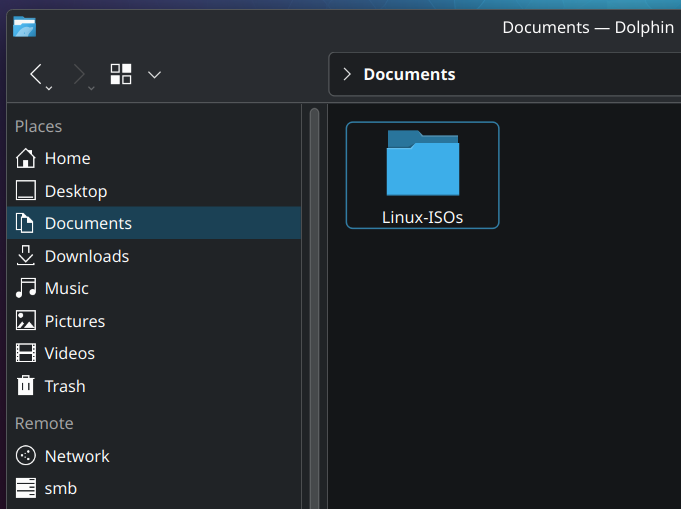
So it begins.
I’ve been flashing my USB often enough that it’s now worth it to keep all my ISO’s neatly to use them when I need them. I plan on buying 10 USB sticks to just have ready when ever I need a specific version.
I’m visiting family now, so time to upgrade their Linux Mint to Kubuntu
You can use Ventoy to have many ISOs on one stick ^^
Maybe not Kubuntu? It’s not de-Canonical’d like Mint or Pop!_OS, so it’ll have weird bad things like Snap or the not-yet-ready Rust coreutils.
Uh… you do know that people don’t literally save a bunch of Linux ISOs, right? It’s a euphemism for collecting less legit things, like pirated media or porn.
By the time you want to install the same distro again, it’s likely that a new version will be out and you’ll want to re-download it anyway.
You can always just use the version you have and run an update after it’s installed.
Speak for yourself. I have ISOs saved for my virtual machine “OS Museum” full of all kinds cool stuff like Damn Small Linux, TempleOS, Haiku, Hannah Montana Linux, the version of Mandrake Linux that came with the Sims 1 installed … Etc.
551GB of ISOs here. Most are very old.
You’re right, but I’m still saving them anyway◝(ᵔᗜᵔ)◜
- you need Ventoy to stop formatting you’re USB sticks
- Keeping lot of ISO is a bit useless just the few that you use daily.
- If you’re keeping this ISO anyway, get them by torrent and keep sharing for helping the community
Also if you have a fast internet connection, check out https://netboot.xyz/
Another important point 4. Always check checksums (sha256 etc)
Is there a simple guide to checking checksums? It doesn’t seem like it should be complex but half the time the distro’s instructions don’t work for me!
First you need to download the provided file from the distro page. Something with Checksum in the name most of the time. The website should provide instructions. Please note that does not validate the gpg key.
Quick Method Terminal: Open the terminal at the location of the ISO file or go there with
cd. Typesha256sum NameOfIsoFile.iso- it takes a moment depending on your system. Copy the output (some long numbers/letters). Compare it with the downloaded checksum-file - open the file, press ctrl-f or whatever you have for find and paste it. If it’s found, it’s the same.Method KDE: Right click the file, open properties, then go to tab “Checksums”. Paste same number/letter combination from above into the provided space “Expected checksums…” - if it’s green, it’s correct.
While checking checksums is important, it you’re getting them from the same place as the download you might as well ignore the checksum. If someone can replace the download they can very likely also replace the checksum file download.
Thanks, that does sound familiar. Maybe it was the gpg bit that confused me before.
Just use the appropriate command for the hash type, i.e.
sha256sum <filename>(iirc, might be wrong,manis your friend)
Ventoy is great, it’s my go to tool, boots on basically everything (even my MacBook) but… wasn’t there a scare about possibly being compromised because it builds itself from hundreds of modules on github or something like that?
Afaik the maintainer(s) have provided a reasonable explanation and cleared up the reproducible builds part
Oh that’s good to know. Thanks!
Your family will hate you if you’ll change their distro and DE every time you visit them. Distro hopping is normal for the first couple of years, but do it on your own machine.
First couple of years? I was in my early teens when trying out many distros within a couple weeks, for example Puppy Linux, Ubuntu, Edubuntu, Ubuntu Netbook Remix, OpenSuse… Then I settled on Ubuntu and used that from 2008 to 2022, when I was fed up with Canonical shoving snapd down my throat and me having to uninstall it all the time. Since then I’ve used Debian exclusively, previously I only had it on some machines.
(I’ve also toyed a bit with the BSDs, but was missing systemd, so those never stuck with me.)
what is bsd?
ive heard of it, but not really seen or used it
Several different operating systems, such as FreeBSD, NetBSD, DragonflyBSD (the latter one having a live system and being the easiest to try out). Those have their history based in BSD. But thatʼs all bit too much to fit in s reply here.
Unlike Linux distributions, those projects develop a kernel and the other parts together and make an OS.
Most software will be available on BSDs and on Linux distributions.
I’ve been using Linux for like 18 years and I still hop. I got a better idea of what I like to use for different situations though…but there are so many great builds/derivatives now. I’m pretty well settled into Bazzite and Nobara, or regular Fedora and Fedora Blue, depending on specific needs now though.
Are they Linux ISOs or “Linux ISOs”?
If you’re wanting to use software that’s most easily available on different distros, why not just use Distrobox? If you are just wanting to change the UI, why not just switch DEs? If you really need to be able to randomly switch away from/to system level differences, what are you doing? What would necessitate that?
This is a phase that most Linux enthusiasts go through at some point. It takes time to understand what a distro really is.
People see distros as being much more different than they really are because of the default settings between distros being so different from each other.
At the end of the day a distro is basically just a way of choosing which group of people you want to trust to package software for you.
What’s wrong with Debian?
The latest version of anything is at least 6 months old.
I can assure you, you will never need them.
I got a USB stick with ventoy installed, got a gparted and an arch linux iso on that thing, I do use those regularly.
10 USB sticks? why? just use ventoy and throw them all on an external SSD or something. that’s what I do. can even use that with specific dotfiles you need for each distro along with ventoy. much easier to deal with than 10 usb sticks.
I don’t mean to crash the party, I used to love Ventoy too. But then the blob issue came up and it was met with silence for over a year by the maintainer, that made me a bit uncomfortable. They have responded to it a while ago, but it’s no trivial task to solve as I understand it: https://github.com/ventoy/Ventoy/issues/3224
Upgrade Mint to Kubuntu 💀
isn’t it the other way? Ubuntu/Kubuntu -> Mint -> Arch-based (Manjaro, …), Arch … -> “btw”
I mostly found it funny they felt the neet to upgrade from mint on a family members computer to anything else, because I can’t imagine mint not already working fine for them.
I fail to see the benefit in “Upgrading” to kubuntu (or anything else) in this case.
But yes u right hehe arch btw but also mby mint btw 🤔
manjaro -> ubuntu -> most other distros
There are no “outstanding good distros”, there are bad ones to avoid, and ones suited or not suited for your use case
Use Ventoy, you can have dozens and dozens of ISO on one stick only, when you boot on it you can select the one you want.
The drawback of using Ventoy is that it doesn’t support systems that has too old BIOS installed. Otherwise it’s great.
If I saw that folder name while using a friend’s machine I would know not to click on it to respect their privacy.
Anal-LTS-x86-64bit.iso
Just buy 2.5 HDD put it in USB sata case and use as USB stick with ventoy
Or if you want to install an entire iso in less than a minute, one of these.
I really like that one. I can move a terabyte in minutes, and unlike some other M.2 enclosures, this one is a heatsink sandwich, which enables sustained full-speed operation.
Buying m2 nowadays or any ssd is not cheap thing at all
True. But if you have an old one laying around, from a laptop, desktop or whatever, even a low end one will saturate usb while beating 2.5" hdds.
I’d recommend a HDD enclosure with a virtual drive emulator. I personally use this one which I’ve had for about a decade at this point. Lovely device. At some point I think I’ll pop an SSD in it instead, mostly just for durability purposes.
Sure.
But that’s limited to SATA 3 speeds. A “mere” 600 MB/s. Not to mention SATA SSDs often can’t sustain their theoretical maximums.
USB3.2x2 can do 2500 MB/s, and with heatsinks on an NVME drive you can actually reach and sustain that transfer speed.
When you’re moving more than 500 gigs of something, or if you move ISO sized things often, it’s really nice.
When I occasionally have to write an ISO to usb for macOS or when ventoy for some reason wont work, I get annoyed at how I actually have to wait a bit, even though my thumbdrives aren’t slow.
They’re just not NVME with a heatsink fast. I’ve gotten used to moving ISOs around like they’re text files.
It may not work. I have two ssds like that and they both won’t boot ventoy for some reason, but a hdd in a usb case worked no problem.
Also, unless you’re using the usb3 interface it doesn’t make much difference really.
I use this one professionally, yet to come across a PC that wouldn’t boot from it.
And yeah, you won’t benefit unless the PC also has both fast ports and fast storage.
But half of the time I’m using it to move files from a customers old PC to their new one, and more aften than not, even the old one has at least one quick usb C port.