Do you know which is the most popular GNOME extension out there?
I don’t know for sure, but if I have to make a guess, I would say Dash to Dock is a good candidate for that title.
Why do I say that? Because at the time of writing this article, this extension has more than ten million downloads.
What is Dash to Dock?
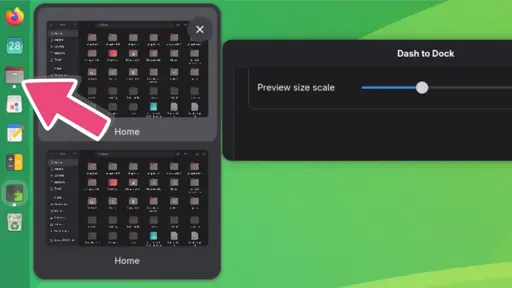
In the clean GNOME layout, you don’t see any quick launcher. It’s just the wallpaper. You press the Super key (Windows key), a launcher appears at the side or on the bottom. This launcher is called Dash in GNOME. The Dash to Dock extension takes the “dash” from GNOME Activities Overview and “docks” it to make it visible on the desktop all the time.
Yeah, most likely. The reason is simple: folks want a desktop that doesn’t fight them, has fast window switching, navigation, and task management… and then stays out of the way.
GNOME knows best, though, right? pArAdIgM sHiFt ™! What is a desktop? Hide everything!
For all it’s faults, KDE is much more usable. Xfce is great, too. They treat the desktop/laptop computer as exactly that – not some strange hybrid between traditional desktops, mobile UI, and kiosk GUIs.
People just don’t want change/ break old habits (which is fine)
has fast window switching, navigation, and task management… and then stays out of the way
Thats what it do for me. Is alt+tab faster on kde or what the heck you on about?
I guess you need to hit super while moving your mouse down to the nav bar
I would give KDE a try if it didn’t look so damn ugly
Lol, “on about.” Oy!
But yes. Alt-tab.
Try running it on something like an older Celeron, a RaspberryPi 3, a PinePhone, or a constrained VM. For me alt+tab can take seconds on GNOME but still be almost instant in Xfce on the same hardware.
I assume it’s from Wayland not performing as well on these platforms combined with fancy animated transitions being enabled by default on G.
It can be about not having to change hardware as much as about habits.
It really depends on your workflow. I use a tiling extension and 9 fixed workspaces. I have no need for dash-to-dock. I reassign a bunch of hotkeys to make working with 9 workspaces easier, but the rest is all Gnome defaults and it works just fine for me.
I would always use KDE on a desktop/laptop, but as soon as I have touch hardware (eg an old surface laptop), GNOME does win unfortunately.
Why unfortunately? GNOME puts a lot of work in accessibility and being viable on every device.
Only because I otherwise prefer KDE, nothing against GNOME, it’s just preference.
This. I like GNOME because of clean uncluttered single app use, but KDE gives you a ton of customization without learning GNOMES backend customization. Why we fight over which is better is a waste of time.
What’s a computer, Mom? I have Gnome!
But, like, that’s just my opinion, man. Run what makes you happy.
For real. I don’t use dash to dock and love gnome’s choices.
What does GNOME stand for? Wrong answers only.
GNOME is Not an Overly Mediocre Experience.